
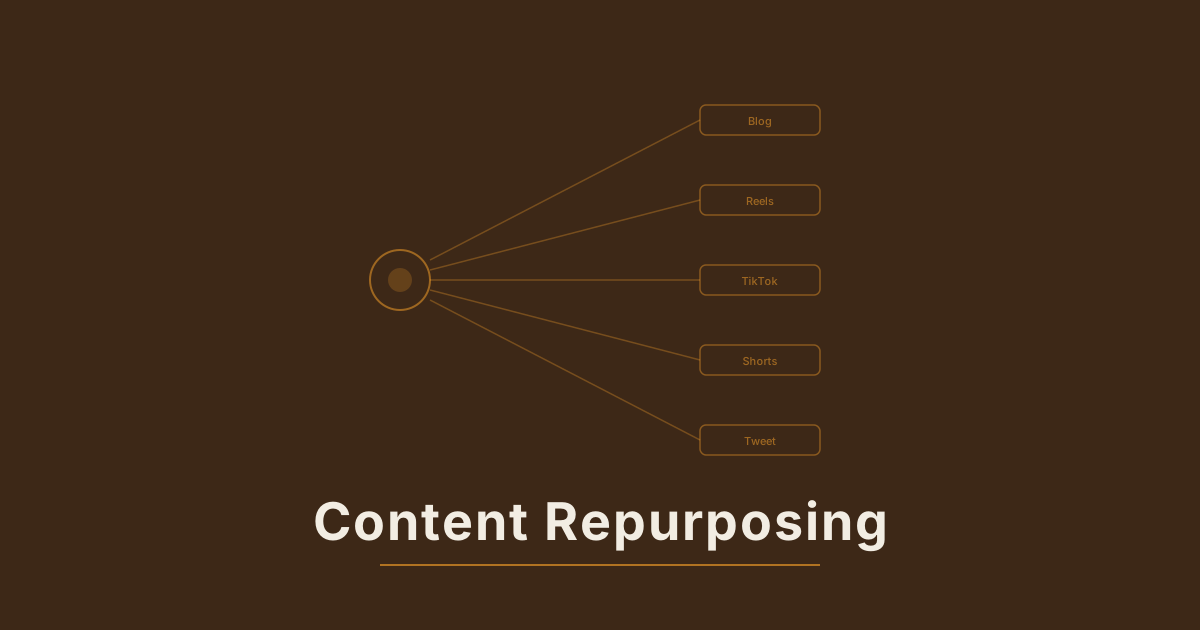
Every blog post you've already published contains three to five short-form videos. Not metaphorically — literally. The research is done, the argument is structured, the examples are chosen. The only gap between a blog post and a social video is the format translation: taking what's already written and packaging it for the visual, mobile-first, short-form context where most of your potential audience actually spends their time. AI video tools close that gap in a workflow that takes under two hours per post.
Why Blog Posts Are Ideal Source Material for AI Video#
Most content repurposing fails because it forces one format into another without accounting for what makes each work. A blog post compressed into a caption is a wall of text in the wrong container. A webinar clipped into a Reel looks like it was filmed in 2014. The format mismatch defeats the goal.
Blog posts sidestep this problem because they're already structured around insights, not around a presentation medium. Every well-written blog post has a core argument, supporting points, and concrete examples — which is exactly the skeleton that a high-performing short-form video follows. The conversion isn't compression. It's reformatting: rebuilding the same content in a visual, spoken form that fits a mobile screen.
Three reasons blog posts make strong video source material:
- Research already done. A well-sourced blog post has verified claims, specific numbers, and real examples. None of that work repeats for the video.
- Structure that transfers directly. A blog post with clear H2 sections maps to a video outline. Each H2 can become its own standalone clip, or two to three sections can combine into a longer explainer.
- SEO intent you already understand. The keyword the blog post targets is usually the same keyword the video should target — Google increasingly surfaces YouTube Shorts and TikTok clips for informational queries, and a video on the same topic captures search intent the text post couldn't reach.
The brands generating the most content in 2026 aren't creating more original material. They're multiplying the value of what they've already made. Blog-to-video repurposing with AI is the fastest path to that multiplier for teams with an existing content archive.
How to Extract the Video-Ready Sections From a Blog Post#
Not every section converts equally well. Some rely on reading comprehension — tables, nuanced comparisons, long case studies. Others are built around insights that land in one sentence, with supporting examples that show well visually. Those are your video candidates.
The extraction framework:
Read through the post and tag each H2 section:
- High conversion: The main idea can be stated in one sentence. The supporting example is concrete and visual — a product in use, a process step, a before/after. The section's value doesn't depend on context from prior sections.
- Medium conversion: The insight is strong, but the supporting material is abstract. This section needs a reframe hook before it stands alone as a video.
- Low conversion: The section is comparative, definitional, or structural (e.g., "what this term means," "how X compares to Y"). These read well but don't convert to engaging video without significant reworking.
A 2,000-word blog post with six H2 sections typically yields two to three high-conversion and one to two medium-conversion video candidates. That's three to five clips from a single post, before any format variation.
The one-sentence test: If you can't state the section's core insight in one sentence that works as a video hook, the section needs reformulation before it becomes a video. "Here's the one thing we changed that doubled our organic traffic" is a hook. "This section discusses several approaches to content optimization including keyword density, internal linking, and page speed" is a listicle introduction. The difference is whether the framing promises a specific payoff.
The Three-Part Script Formula for Blog-to-Video Content#
Once you've identified a high-conversion section, the script structure is the same regardless of platform. What changes per platform is the hook register and the close — not the core content.
Part 1: The Hook (3–8 seconds)
The hook names the payoff before delivering it. For repurposed blog content, the most reliable formula: state the counterintuitive or surprising version of the section's main point.
If the blog post says "internal linking improves SEO," the hook is: "The three internal links we added to our top post increased its traffic by 60% in 30 days." Same insight, made specific and surprising. A number and a timeframe turn a claim into a result — and results earn the next three seconds.
Part 2: The Body (15–40 seconds)
Deliver the supporting logic in the most compressed form that makes the point land. For blog-to-video, this is three beats:
- The mechanism (why the insight is true)
- One specific example or number (the evidence)
- The outcome (what changes if the viewer applies this)
Three beats at 10–15 seconds each totals 30–45 seconds — within the optimal completion window for TikTok, Reels, and Shorts.
Part 3: The Close (3–5 seconds)
The close drives a behavior or plants a question that earns a comment. For blog repurposing specifically, the close that consistently earns clicks: "I wrote a full breakdown of this on the blog — link in bio if you want the detail." This positions the video as a preview and the post as the full answer, converting viewers who watched to the end into site traffic.
AI Prompts for Generating Video From Blog Topics#
With the script written, the AI video generation step converts written content into visual output. The prompts that work for blog-derived content share one characteristic: they translate the script's concept into a visual demonstration, not an illustration of the words.
Wrong approach: "A person reading a blog post about email marketing."
This describes the source material, not the concept.
Right approach: "A phone screen showing an email campaign analytics dashboard — open rate at 47%, click rate at 12%. The hand scrolling through the stats pauses at the open rate figure. Natural desk lighting, the phone is held at a slight angle, the numbers are the visual focus. 20 seconds, 9:16 vertical."
This shows the outcome the blog post is teaching about, not a representation of the writing process.
The core principle: visualize the result, not the content. A post about email open rates becomes footage of a high open-rate notification, not footage of someone writing an email. A post about conversion rate optimization becomes footage of a purchase confirmation screen, not footage of someone building a funnel.
Prompt structure for blog-derived video:
- Identify the outcome the blog section describes
- Describe that outcome as a concrete visual scene
- Specify the environment (workspace, phone screen, product context, outdoor setting)
- Set the aesthetic register (lighting, camera distance, whether it looks produced or organic)
- Add format specs (length, aspect ratio, vertical orientation)
For how to write these prompts across different topic types, the AI video prompts guide covers the specific patterns for informational, how-to, and commercial video — all of which appear in blog content repurposing workflows.
Which Blog Post Types Generate the Best Video Performance#
The blog-to-video conversion rate varies significantly by post type. Understanding which types perform best before you start directs effort toward the highest-return posts.
How-To and Tutorial Posts#
The highest-converting type for video repurposing. A how-to post has a built-in structure (the steps), a built-in hook (the promised outcome), and built-in visual possibilities (the process being executed). A step-by-step post generates at least one strong video per major step, plus one overview clip that teases the full process.
A 2,000-word tutorial on setting up a content calendar becomes:
- One 30-second overview ("here's what a complete content calendar setup looks like")
- One clip per major step (3–5 clips at 15–20 seconds each)
- One "common mistake" clip drawn from the troubleshooting section
That's 5–7 videos from one post.
Listicle and "Best Of" Posts#
The second-strongest type. Each item on the list becomes a standalone clip, and the full list becomes a wrap-up video. A "7 best tools for X" post generates seven individual clips plus an overview. The hook pattern for list-derived video: "Number [n] on this list is the one most people skip — and it's the one that matters most." This implies the full list contains hidden value, not just expected items.
Case Study and Data-Driven Posts#
Strong source material, but requires more adaptation work. The specific numbers and outcomes are ideal for hooks ("we saw a 340% increase after one change to our posting schedule"). The mechanism — the "why it worked" — is the body content. These posts naturally generate two to three strong video hooks, but the visual demonstration requires more specific prompting because the outcome isn't always as visually obvious as a product demo or a how-to step.

The Batch Workflow: Turning a Month of Posts Into a Month of Video#
The efficiency of blog-to-video repurposing compounds when you batch production. Processing one post at a time means repeating the setup overhead — extraction, scripting, prompting — for each post individually. A batch session amortizes that overhead across an entire content archive.
A batch session for 15–20 clips from four posts:
Hour 1: Post selection and extraction. Choose four blog posts with clear H2 sections, prioritizing how-to and listicle types. For each post, tag sections high/medium/low for conversion potential. Collect the top two to three video candidates per post — that's 8–12 clips total before format splitting.
Hour 2: Script writing. Write all hooks first across all posts (this is faster than writing each script front-to-back, because you're applying the same formula repeatedly rather than shifting between formulas). Then all bodies, then all closes.
Hour 3: Generation and formatting. Submit all scripts to the AI video tool as a batch. Generation time is essentially fixed whether you're generating 3 clips or 12, so batching maximizes output per session. Apply platform-specific caption and format presets on the output — 9:16 for TikTok and Reels, 1:1 or 4:5 for LinkedIn.
For brands producing batch content at scale, this three-hour session produces two to three weeks of daily social content from posts that already exist in the archive.
Distributing Blog-to-Video Content Across Platforms#
Blog-to-video content has a distribution advantage original video content doesn't: a natural funnel destination. Every clip can point to the source post, making the video both a content piece and a traffic driver.
TikTok and Reels: Post the highest-hook clips. Pin a comment that says "link in bio for the full breakdown" — this consistently earns more clicks than a CTA in the caption alone. The comment format reads as a recommendation, not a call to action.
YouTube Shorts: Blog-derived content performs particularly well for informational topics on Shorts. The YouTube audience has stronger reading behavior than TikTok's — a viewer who finishes a Short on content strategy is more likely to visit a linked blog post. Shorts that explicitly reference the source post ("I wrote a full 2,000-word breakdown of this") earn higher click-through than Shorts without that reference.
LinkedIn: The "what I cut" frame works for professional-audience blog content: "I published a post on content strategy last week — here's the one finding I cut from the draft that ended up being the most surprising." This turns the video into a behind-the-scenes companion, earning saves from LinkedIn users who plan to read the full post later.
Email newsletter: Blog-to-video clips embedded in newsletters consistently outperform text summaries for click-through to the source post. A 15-second clip showing the most surprising insight from the post earns more "read the full article" clicks than a text excerpt, because the clip demonstrates the value of reading rather than substituting for it.
For a complete look at how AI video fits into a multi-format content strategy, the AI content repurposing strategy guide covers the production system for teams managing multiple formats from a single content creation workflow. And for the full picture of building a cross-platform video presence, the repurposing long-form content guide covers how to adapt content that starts as video, audio, or written format into short-form assets at scale.
Blog posts are among the highest-ROI source materials for AI video — the research and structure exist, and the repurposing workflow is systematic enough to batch at scale. If you want to start turning your content archive into short-form video without rebuilding production from scratch, Mango generates platform-ready clips from text briefs in minutes.