
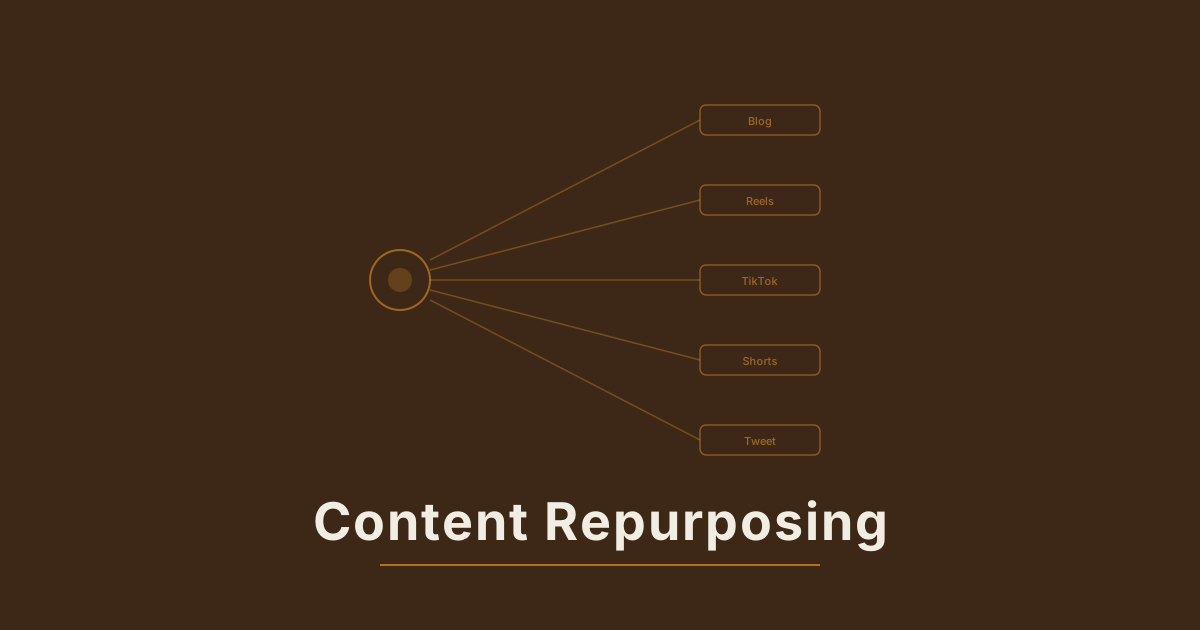
Most webinar recordings become the digital equivalent of a filing cabinet. The team promotes the live event, runs the recording to a private YouTube link or gated landing page, and then the 60 minutes of high-quality content from a recognized expert sits unwatched. The conversion rate from webinar-to-short-form-video clip is one of the highest-leverage content operations available to most B2B and creator businesses — and AI makes it fast enough to run on a regular cadence rather than as an occasional project.
A well-produced one-hour webinar contains 8–15 independently shareable moments. Clips from a single recording can generate social content across multiple platforms for weeks, drive traffic back to the full recording, and build audience recognition for the speaker or brand at no marginal content cost. The bottleneck is the production work of extracting, reformatting, and contextualizing those moments — and that's exactly where AI video automation removes the friction.
Why Webinars Are the Best Source Material in Your Content Library#
Webinars have structural advantages over other long-form content formats when it comes to short-form repurposing.
The expert is already on camera. A blog post has no visual component. A podcast may or may not have video. A webinar almost always has the speaker on screen, which means the primary raw material for a social clip — a person delivering insight with presence and energy — is already captured.
The best moments are concentrated. Webinar content tends to be denser than podcast conversation. Speakers prepare structure, transitions are deliberate, and the educational intent keeps the content focused on specific takeaways rather than exploratory discussion. That density means a higher ratio of clip-worthy moments per hour of recording compared to unscripted formats.
The Q&A section is a clip library on its own. The question-and-answer section of most webinars produces some of the highest-performing clips because the questions are real and the answers are off-the-cuff — exactly the authenticity that performs on short-form platforms. A two-minute answer to a sharp audience question is a complete short-form unit that needs minimal editing to work independently.
Social performance compounds. Clips from webinars outperform evergreen content on social platforms partly because they signal freshness — they're drawn from a recent recording that references current context — and partly because they typically include a clear hook in the speaker's first sentence. Speakers naturally open answers and transitions with their strongest framing; that habit of communication creates ready-made hooks.
The Clip Selection Framework#
Before generating or editing anything, identify the moments worth extracting. Running the entire recording through AI video production without a selection pass wastes generation time on mediocre content and dilutes the quality of what gets published.
Identify the standalone units first. A short-form clip needs a beginning, a middle, and a resolution that makes sense without the surrounding context. The most reliable clip structure is: a punchy opening statement (the hook), a brief explanation or example (the body), and a clear conclusion or payoff. Webinar recordings typically contain three types of standalone units:
- Insight declarations — a speaker making a specific, counterintuitive, or highly specific claim. "Most companies are wasting 60% of their LinkedIn budget by targeting the wrong intent signals" is a shareable clip opening; "we'll be covering LinkedIn strategy today" is not.
- Framework explanations — a brief walkthrough of a named system, model, or approach. These clip cleanly because they have a natural structure: name the framework, explain the components, show why it works.
- Q&A answers — look specifically for questions that received the longest or most engaged answers, or where the speaker changed register (paused, leaned in, said "great question" — all signals that what follows has more energy).
Timestamp and score before touching production. Work through the recording once, logging timestamps and a one-line description of each candidate clip. Score each candidate on a simple 1–3 scale: 3 for strong hook + clear resolution, 2 for good content but needs a setup addition, 1 for useful but requiring significant context to work standalone. Start production with all the 3s and the best 2s.
Target clip length by platform:
- TikTok and Instagram Reels: 45–90 seconds for narrative clips; 15–30 seconds for punchy declarations
- YouTube Shorts: up to 60 seconds, with strong performance at 30–45 seconds
- LinkedIn video: 60–90 seconds, slightly more tolerance for setup before the payoff
- X/Twitter: 30–60 seconds, front-loaded impact
Reformatting Webinar Footage for Vertical Platforms#
A 16:9 webinar recording doesn't fit natively on a platform designed for 9:16. Cropping is the obvious solution, but naive center-cropping of a talking-head video loses the speaker to a tight face shot that may cut off key on-screen content. AI video reformatting handles this through intelligent subject tracking and dynamic reframing.
The speaker crop. For a single-speaker webinar, AI auto-reframe that follows the speaker's face and adjusts dynamically when they move, gesture, or turn to look at slides keeps the subject centered through the clip. The challenge is slides — if the speaker is using a shared screen or slide presentation, the 9:16 crop cuts off the visual content they're referencing. For slide-heavy segments, skip the webcam-only crop and use an alternative format.
Speaker-plus-content layout. A 9:16 frame can be composed to show the speaker at the top two-thirds and a text overlay summarizing the slide content at the bottom third. This format requires generating or designing the text overlay, but AI can generate the summary from a transcript, and the resulting format often outperforms raw footage because it makes the clip scannable without audio.
Screen-content-only clips. Some webinar segments — live product demos, data walkthroughs, framework diagrams — are more compelling as cropped screen content than as speaker footage. A 30-second AI-generated demo clip from a screen-share recording, with captions explaining the steps and a voiceover brief describing what's happening, converts better on platforms where viewers watch without sound than a speaker clip where the visual is just a head.
Repurposing long-form content into short-form video covers the technical reformatting principles in depth — the same aspect-ratio and subject-tracking logic applies directly to webinar footage, with the addition of handling slide content.
Writing AI Video Briefs for Webinar Clips#
The brief structure for webinar-derived video differs from original content briefs because you're working from source material. The AI generation task is enhancement, not creation from scratch — improving the raw clip rather than building from a description.
Brief for a talking-head insight clip: "Source clip: [speaker name] delivering insight about [topic] — timestamp [X:XX–X:XX]. Crop to 9:16 with speaker face centered. Add lower-third text: '[Speaker Name] | [Title/Company]' in white on dark semi-transparent bar, bottom 10% of frame. Overlay open-caption text synchronized to speech — white text, 2-line maximum visible at once, centered horizontally. Subtle zoom-in 10% during the opening hook sentence, hold for the rest of the clip. No music. Output: 9:16, [duration], exported at 1080×1920."
Brief for a framework visualization clip: "Source: webinar recording, screen-share segment showing [framework name] diagram from [timestamp] to [timestamp]. Crop to show the diagram at 80% of frame with speaker webcam in corner (60×60px circle overlay, top-right). Add animated highlight boxes that appear one at a time on each framework component as the speaker mentions it — red/orange color, 2px border, fade in over 0.5s. Text overlay at the bottom: '[Framework Name]: [3-word description]'. Add captions. 9:16, [duration]."
Brief for a Q&A answer clip: "Source clip: audience Q&A segment, speaker answering question about [topic] — [timestamp]. Open with a full-screen text card for 2 seconds: '[The question, verbatim or paraphrased]' in large white text on dark background, then cut to speaker video. 9:16, speaker centered, auto-captions. No music. End with still frame of speaker's final expression for 1 second before fade out. [Duration], 1080×1920."
The Q&A format that opens with the written question before the speaker appears performs particularly well because it gives the viewer instant context — they know exactly what's about to be answered, which is a more compelling hook than a speaker mid-sentence.
Captioning and Audio for Platform Performance#
Captions are not optional for webinar clips repurposed to short-form platforms. Across all platforms, 80–85% of social video is watched with the sound off. A clip that requires audio to understand the content is invisible to the majority of the audience.
Auto-caption quality from webinar transcripts. Most webinar platforms (Zoom, Teams, Webex, Riverside) generate transcripts alongside recordings. These transcripts are substantially more accurate starting points for captioning than AI-generated transcriptions from raw audio because they've typically been processed with speaker labeling. Use the platform-generated transcript to seed the caption file rather than re-transcribing from scratch.
Caption formatting for short-form platforms:
- Maximum 2 lines visible at once — more than 2 lines is a reading task, not a viewing experience
- Subtitle-style placement: centered, bottom 20% of frame
- Word-by-word or phrase-by-phrase animation (not full subtitle blocks) matches how native social content captions behave
- High contrast: white text with a subtle dark drop shadow or semi-transparent bar behind the text
Audio treatment for repurposed clips. Webinar audio quality varies significantly by participant. A speaker recorded on a broadcast-quality dynamic microphone in a treated room is publish-ready. A speaker recorded through a laptop webcam in a reverberant office is not. AI audio enhancement — noise reduction, voice isolation, EQ balancing — applied before final clip generation removes the quality gap without requiring the speaker to re-record.
The Batch Production Workflow#
Single-clip extraction from webinars is tactically useful. A systematic batch production process extracts maximum value from each recording. How to batch create social content with AI covers the general batch logic; applied to webinar content, the workflow runs as follows.
Session 1 — Transcript review and timestamp extraction (30–45 minutes): Watch the recording at 1.5–2× speed with the transcript visible. Identify and timestamp 8–12 candidate clips. Write a one-line description for each. Score each 1–3. This session produces the brief-ready clip list.
Session 2 — Brief writing (20–30 minutes): Write a production brief for each 3-scored clip and the top 2s. Use a standard template per clip type (talking-head, framework, Q&A) so brief writing is fill-in-the-blank rather than open-ended. For a 10-clip batch, this step takes roughly 3 minutes per brief.
Session 3 — AI generation and QA (45–60 minutes): Run all briefs through AI video generation in a single session. Review each output against four criteria: is the hook visible in the first 3 seconds? Are captions legible at arm's length? Does the clip make sense without context from the webinar? Is the speaker centered in the frame? Clips that pass all four go to the schedule. Clips that miss on any criterion get brief-revised and regenerated.
Session 4 — Platform scheduling (15–20 minutes): Assign clips to the publication calendar. Spread a 10-clip batch across two to three weeks across platforms: typically two clips per week per platform for a brand running TikTok, Instagram Reels, and LinkedIn. Add platform-native captions (the caption copy that goes in the post description, not the on-screen captions), relevant hashtags, and the call-to-action pointing to the full webinar recording.
Total production time for a 10-clip batch from a single one-hour webinar: roughly 2–2.5 hours. For a team that previously produced zero clips from webinar recordings, that time investment converts a filing-cabinet asset into a two-week content calendar.
Measuring Webinar Clip Performance#
The measurement framework for webinar repurposing has two distinct objectives: evaluating clip performance on social platforms, and evaluating how well the clips drive traffic back to the full recording or downstream content.
Platform-level metrics by clip type. Track engagement rates (likes, comments, shares, saves) and watch time by clip format to identify which formats your audience responds to. Most brands discover that Q&A clips and counterintuitive insight declarations outperform framework walkthroughs on reach, while framework walkthroughs drive more saves and shares. Both patterns inform where to allocate the next session's production time.
Attribution to the full recording. Include a consistent UTM parameter on every link pointing to the full webinar recording from clips. Track visits, time on page, and any gated conversion (registration, download, form completion) separately by clip source. This data answers the question that justifies the production investment: are the clips building an audience that converts to the full content?
Speaker and topic resonance. Compare engagement rates across clips from different speakers or topic areas within the same webinar. A single recording with two guests often shows sharp differentiation in clip performance by speaker — one speaker's Q&A answers might outperform the other's 3:1 on shares. That signal informs which speakers to prioritize for future webinars and which topic angles resonate with the social audience specifically.
Repurposing podcasts into short-form video with AI covers a complementary measurement framework — the attribution model for tracking how audio-first repurposed content converts to broader audience engagement applies directly to webinar clips with the addition of slide-content performance as a variable.
Scaling Across a Webinar Library#
Once the single-webinar batch workflow is running smoothly, the natural expansion is to the webinar archive. Most companies running a regular webinar program have 12–50 past recordings sitting in a content library, each containing 8–12 shareable moments. That's 100–600 unproduced short-form clips in an existing archive.
The priority framework for archive repurposing: start with the recordings that attracted the largest live audience, since audience size is a reasonable proxy for topic relevance, and work backward. Apply the same transcript-review and brief-writing process, with one modification: evergreen topic clips from older recordings need a date-agnostic presentation — avoid any visual reference to a specific year or live event date that would make the clip appear stale.
The compound effect of consistent webinar repurposing is a social presence that runs on expert content your organization is already producing, with no marginal cost to the recording or the expert's time. Every future webinar is simultaneously a live event and a 10-clip content production session for the following month.
If you want to run this kind of systematic webinar repurposing workflow without rebuilding the production process each time, Mango handles the reformatting, captioning, and multi-platform export so your time stays on clip selection and scheduling.